
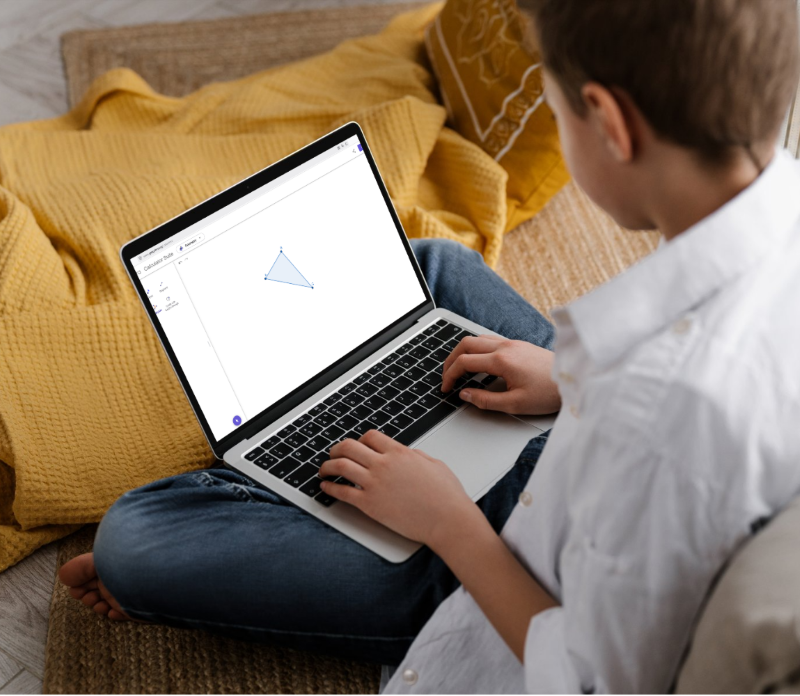
For a long time, maths has often been taught as something fixed: neat pages, precise handwriting, carefully drawn diagrams, and steps to memorise in order. But learning is not fixed. Some learners think in pictures. Some need movement. Some understand only when they can experiment. Others struggle not with maths itself, but with the physical act of writing, drawing, or keeping up with layout on paper.
And this is where traditional maths classrooms can quietly create barriers that have nothing to do with ability.
GeoGebra changes that. It turns mathematics into something alive, interactive, and flexible enough to meet a wide range of learning profiles—including neurodivergent learners, disabled learners, and anyone who has ever thought: “I understand it in my head, but I can’t show it on paper.”
What is GeoGebra?
GeoGebra is a free, interactive mathematics platform that combines geometry, algebra, graphs, statistics, calculus, and even 3D modelling in one place.
Instead of static exercises, learners work in a dynamic space where everything is connected.
You can:
- Draw shapes and constructions
- Plot and transform graphs
- Manipulate equations visually
- Explore algebra through movement
- Build statistical models
- Investigate 3D objects
And the most powerful part? When you change one thing, everything updates instantly.
A point moves → the graph shifts.
An equation changes → the shape transforms.
A slider moves → the whole system responds.
Maths stops being something you copy! It becomes something you explore.
Why GeoGebra matters in education today
Many learners are capable of understanding mathematical ideas long before they can express them through traditional written methods.
The problem is not always understanding. Often, it is expression.
GeoGebra helps bridge that gap by removing unnecessary barriers such as:
- Hand-drawing precision
- Time pressure in diagrams
- Layout and spacing difficulties
- Over-reliance on written explanations
Instead, it allows learners to show what they know in multiple ways. This is especially important in inclusive education, where the goal is not uniformity—but access.
Why GeoGebra supports neurodivergent and diverse learners
Different learners experience maths differently. GeoGebra does not assume one single learning style.
Visual learners
Mathematical ideas become visible and interactive. Graphs move. Shapes transform. Patterns become easier to recognise because they can be seen in real time.
ADHD learners
Learning becomes active rather than passive. Dragging, adjusting, testing, and experimenting keeps engagement high and allows immediate feedback instead of long periods of abstract explanation.
Dyslexic learners
GeoGebra reduces dependence on dense written instructions. Visual exploration and manipulation often replace long text-heavy problem solving, making mathematical ideas more accessible.
Autistic learners
The environment is predictable, structured, and repeatable. Learners can revisit concepts as many times as needed without social pressure or time-based stress, supporting independent exploration.
Learners with anxiety
Mistakes become safe. There is no public board work pressure, no fear of “getting it wrong in front of others,” and no penalty for experimenting. Learners can test ideas freely and privately.
Dyspraxic learners
This is a group often overlooked in maths discussions—but in reality, GeoGebra can make a significant difference here.
Traditional maths tasks often rely heavily on:
- Accurate drawing of shapes
- Neat handwriting
- Precise graph plotting by hand
- Careful spatial organisation on paper
For dyspraxic learners, these tasks can require a disproportionate amount of effort and can easily mask their actual mathematical understanding. When the focus is constantly on the mechanics of writing or drawing, the underlying reasoning can become harder to express.
GeoGebra removes much of this motor-control barrier. Instead of struggling with drawing accuracy, learners can:
- Create precise geometric constructions instantly
- Plot and explore graphs without manual drawing limitations
- Adjust and correct constructions without starting over
- Focus on reasoning rather than handwriting or layout
- Explore mathematical relationships without being constrained by fine motor demands
This shifts the focus back to what matters: thinking mathematically, not physically performing mathematics.
It creates space for learners to demonstrate understanding that might otherwise remain hidden behind the mechanics of writing or drawing.
In practice, this difference can be very significant. For example, in classroom settings where learners are expected to construct geometric diagrams, vectors, or graphs by hand, some students who understand the mathematical concepts well can still struggle to represent them on paper due to fine motor coordination difficulties. In such cases, having access to a digital tool like GeoGebra can be transformative. It allows learners to fully engage with geometry and algebra tasks without being limited by handwriting or drawing constraints, and instead focus on the mathematical ideas themselves. This is not about replacing mathematical skills, but about ensuring that motor difficulties do not become a barrier to demonstrating mathematical thinking.
What you can do with GeoGebra
GeoGebra brings together many areas of mathematics in one interactive space, offering a wide range of ways to explore concepts.

Here are some of its most powerful uses:
Geometry made interactive
Construct triangles, circles, polygons, and transformations with precision. Unlike paper, everything can be moved, tested, and explored dynamically.
Algebra you can see
Type an equation and instantly see its graph. Change it and watch the transformation happen live. Suddenly, algebra becomes less abstract and more intuitive.
Function exploration
Use sliders to change variables and observe how graphs respond. This helps learners discover mathematical rules instead of memorising them.
Statistics and data
Import data, create charts, and explore patterns visually. Ideal for linking maths to real-world contexts.
3D mathematics
Rotate, slice, and explore 3D shapes interactively. This supports spatial reasoning in a way textbooks cannot.
Calculus visualisation
Derivatives and integrals become visible processes rather than abstract symbols. Learners can literally see change happening.
How teachers use GeoGebra
Teachers often use GeoGebra to transform lessons from demonstration into exploration.
It supports:
- Interactive whiteboard teaching
- Student-led investigations
- Homework experimentation
- Flipped classroom learning
- Differentiated instruction in mixed-ability groups
Instead of showing answers, teachers can ask: “What do you think will happen if we change this?” Then let learners test it immediately.
How Special Needs Assistants can support learners using GeoGebra
From my own experience working as a Special Needs Assistant in a French school setting, I can say that tools like GeoGebra are often not something we are formally trained to use. In fact, I only discovered it while supporting a dyspraxic student during maths lessons! That reflects a wider reality: in inclusive education, we often learn the most effective tools through the learners themselves, rather than through structured training.
In that particular case, I was supporting a student who was very bright, but who had significant difficulties with handwriting and drawing due to dyspraxia. He was allowed to use a laptop instead of copybooks, and most of his textbooks were digital. In geometry lessons especially, he struggled to represent his thinking on paper, even when he clearly understood the mathematical concepts.
That is where GeoGebra became a key support. Rather than limiting his progress, it allowed him to continue succeeding in maths by removing the barrier of manual drawing. He could construct, explore, and manipulate geometric ideas digitally, and fully demonstrate his understanding in a way that matched his actual ability.
In situations like this, Special Needs Assistants can play an important role by:
- Supporting learners in accessing and setting up tools like GeoGebra on their devices
- Helping translate classroom instructions into workable digital actions
- Focusing attention on the mathematical thinking rather than the quality of the written or drawn output
- Encouraging learners to use digital tools independently over time, rather than relying on adult intervention
Sometimes, when working with GeoGebra, I noticed that when this student changed just one element, the whole construction would update, and it could initially feel confusing for him. This is something I also observed in relation to the spatial aspects of dyspraxia, where managing visual relationships on a page (or on a screen) can be challenging when multiple elements are interconnected. However, with time and guidance, this same feature became a strength.
At the time, the maths teacher had very little awareness of how dyspraxia can affect a learner’s experience in the classroom, particularly in subjects like geometry where spatial organisation and manual accuracy are heavily relied upon. I found myself in a position where I needed to explain what I understood about the condition and how it was impacting the student’s ability to demonstrate his mathematical knowledge. Although I had not received formal training from the education authority, I have always been an autodidactic person, and I was also pursuing university studies with the goal of becoming a teacher myself. This helped me build a more informed understanding of inclusive strategies, even if informally.
One practical adjustment I suggested to my colleague was the use of colour-coding to help the learner differentiate between elements in geometric constructions. This simple change proved very effective in supporting his understanding and reducing visual confusion, making it easier for him to organise information and follow the structure of the tasks.
How parents can use GeoGebra at home
No specialist maths knowledge is required. GeoGebra works best as a shared space for exploration between parent and child, where curiosity matters more than correct answers. Instead of testing or correcting, the focus can simply be on noticing and discussing what happens on screen.
You might ask:
- “What changes if we move this point?”
- “Can you make the graph steeper?”
- “What do you notice happening?”
- “What do you think will happen before we try it?”
These small questions shift the experience away from performance and towards discovery. What matters here is not getting everything right, but creating a moment where maths becomes something to explore together—visually, playfully, and without pressure. For many learners, especially those who struggle with traditional written methods, this kind of shared exploration can be the point where mathematics starts to feel accessible rather than intimidating.

GeoGebra is not simply a digital maths tool. It represents a shift in how we think about learning itself. Instead of asking learners to adapt to a single method of expression, it allows mathematics to adapt to the learner. At its best, GeoGebra does something simple but powerful: It gives more learners access to the moment where maths finally clicks.



Leave a Reply
You must be logged in to post a comment.